What is L.EMAIL

L.EMAIL is the email verification system of the LutinX ecosystem.
It allows users and organizations to validate email lists through a secure and automated process that improves deliverability, reduces hard bounces, and ensures that campaigns reach real and active recipients.

L.EMAIL helps maintain high-quality email databases and protects sender reputation by detecting invalid or risky addresses before any message is sent.

What L.EMAIL Does

With L.EMAIL you can:

  • Upload CSV files containing email lists (up to 1000 rows per task)

  • Verify the status of each email address

  • Detect invalid, undeliverable, or risky addresses

  • Remove emails that cause hard bounces

  • Optimize mailing lists for newsletters and campaigns

  • Export cleaned lists for use in any email marketing platform

  • Archive and manage verification tasks

  • Monitor daily and monthly email validation limits

Technical Benefits

Using L.EMAIL helps organizations:

  • Save money on email marketing by avoiding invalid contacts

  • Increase ROI by sending campaigns only to real, active recipients

  • Protect sender reputation, reducing the risk of spam classification

  • Prevent spam traps and hard-bounce penalties

  • Improve deliverability, ensuring more messages reach inboxes

How to Use L.EMAIL

Important Note:
L.EMAIL application is not available for free accounts.
This feature is included in specific LutinX licenses and can also be purchased separately through the Shop section in your dashboard.

Step 1 — Create or access your account

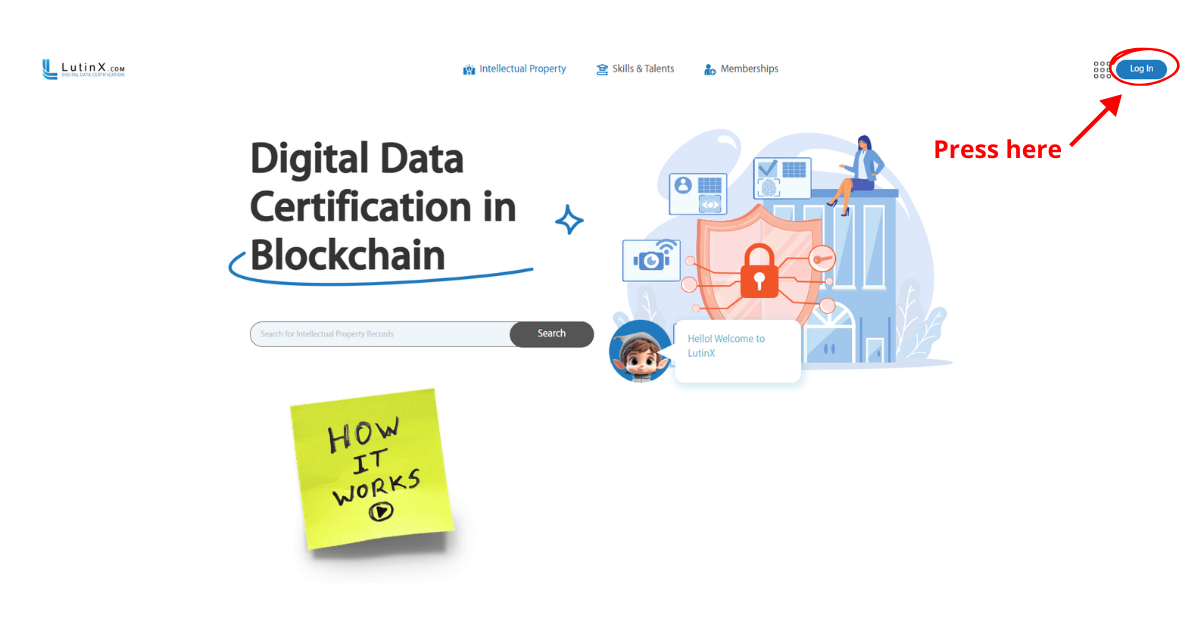
To use L.EMAIL you must have a personal or a business LutinX account.

If you create a new account, completing KYC/KYB verification is recommended to become a fully identified user.

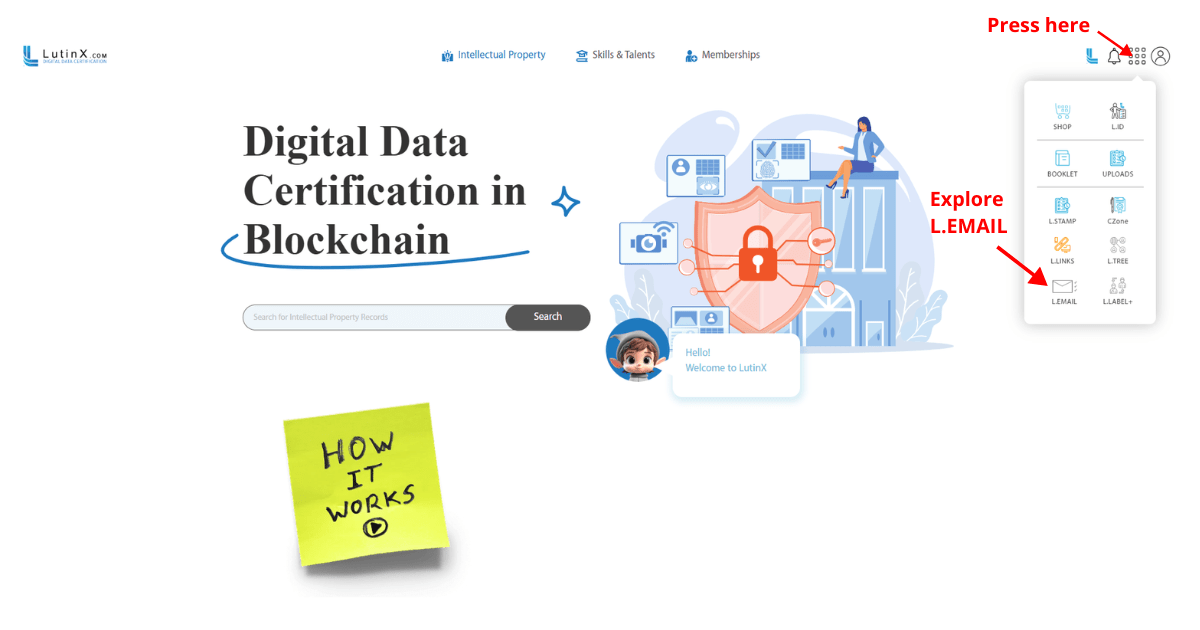
Step 2 — Open the L.EMAIL application

From the dashboard apps menu, select L.EMAIL to access the validation workspace.

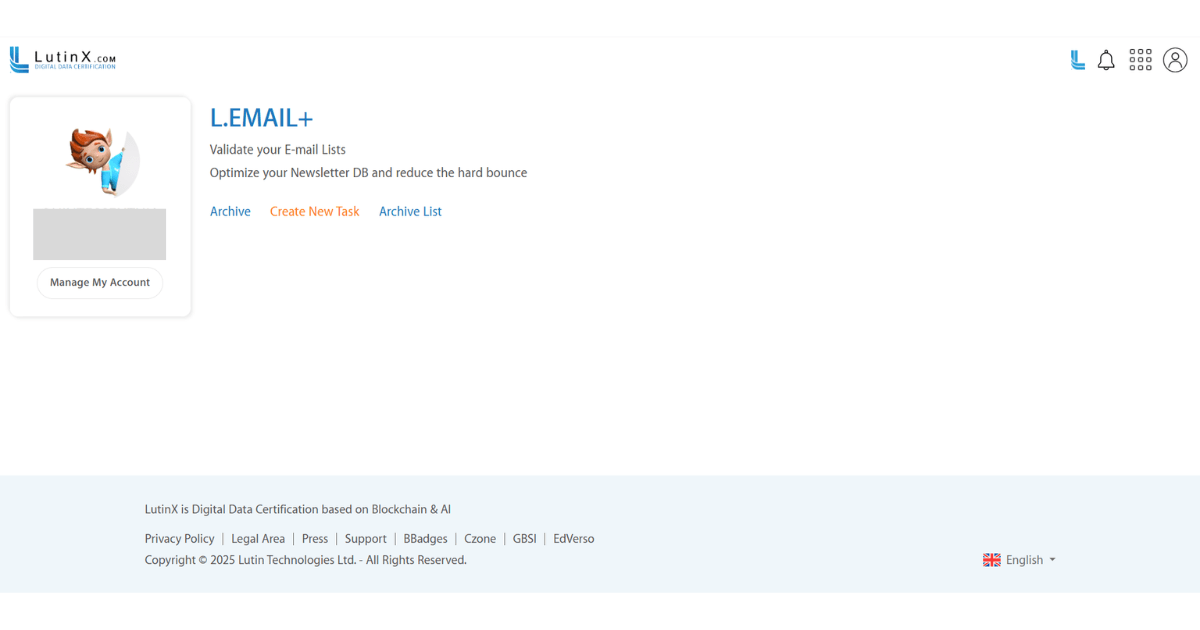
Here you will find:

  • Create New Task

  • Archive

  • Archive List

If your plan does not include L.EMAIL, you will be prompted to activate a package or upgrade in the SHOP.

Step 3 — Create a new validation task

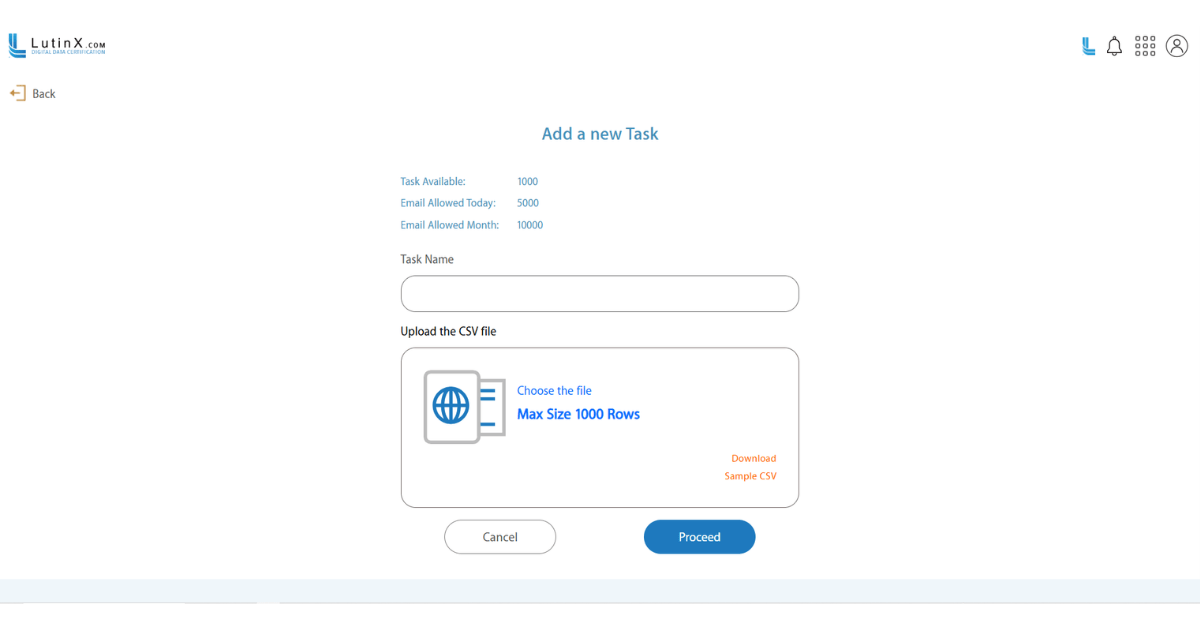
Click Create New Task (only available with an active license or purchased package).

Then:

  • enter a Task Name

  • download the Sample CSV if needed

  • prepare your CSV file (up to 1000 rows)

Step 4 — Upload your CSV

Click Choose the file, select your CSV, and L.EMAIL will verify:

  • formatting

  • row count

  • structure

When ready, click Proceed to start validation.

Step 5 — Email verification begins

L.EMAIL evaluates each email and determines:

  • valid addresses

  • invalid or non-existent recipients

  • deliverability risks

  • syntax errors

  • spam-trap or high-risk entries

  • hard-bounce probability

Step 6 — Review results and export your cleaned list

Once validation is completed:
  • open the verification report

  • filter results

  • export the cleaned list

  • archive the task if needed

L.EMAIL is an essential tool for organizations that rely on email communication.
It ensures clean, reliable mailing lists, improves deliverability, reduces hard bounces, protects sender reputation, and optimizes campaign performance.

Available with specific licenses or as an add-on from the LutinX Shop, L.EMAIL provides a secure and efficient solution for maintaining high-quality email databases.

For practical examples of how L.EMAIL is used in real contexts, see: