What is L.ID

L.ID is the secure digital identity and multifactor authentication (MFA) platform used across the LutinX ecosystem.
It provides a verified identity layer and a comprehensive toolkit for:

  • KYC (Know Your Customer) & KYB (Know Your Business)

  • AML (Anti-Money Laundering) checks

  • Multifactor & Adaptive authentication

  • Identity verification, document validation

  • Access management

L.ID ensures that users and organizations interact through a validated, trusted, and tamper-proof identity, protected by blockchain-powered traceability and device-based data control.

What L.ID Does

L.ID provides an enterprise-grade identity verification and authentication system that allows organizations to:

  • Verify user identity through KYC, document validation, liveness detection, and anti-fraud checks.

  • Support KYB processes, enabling onboarding of verified businesses and corporate representatives.

  • Enable MFA (Multi-Factor Authentication) including SMS, email codes, device checks, and adaptive mechanisms.

  • Use adaptive authentication, evaluating risk in real-time based on IP, geolocation, device, network and behavioral indicators.

  • Leverage a flexible Policy Engine to define rules for authentication and access based on user type and security needs.

  • Provide SSO (Single Sign-On) access across multiple applications without repeated logins.

  • Ensure secure password management, including reset, unlock, expiry alerts and self-service flows.

  • Generate immutable audit logs, tokenized and written into LutinX blockchain components.

  • Detect fraud through machine-learning models comparing documents, detecting forgeries, and validating real human presence.

  • Support GDPR and AML compliance, ensuring all verification processes meet strict regulatory standards.

  • Improve onboarding conversion rates, reducing friction and verifying users globally across multiple languages.

  • Give users control over their data, with consent-based information sharing and device-based document storage.

How to Use L.ID

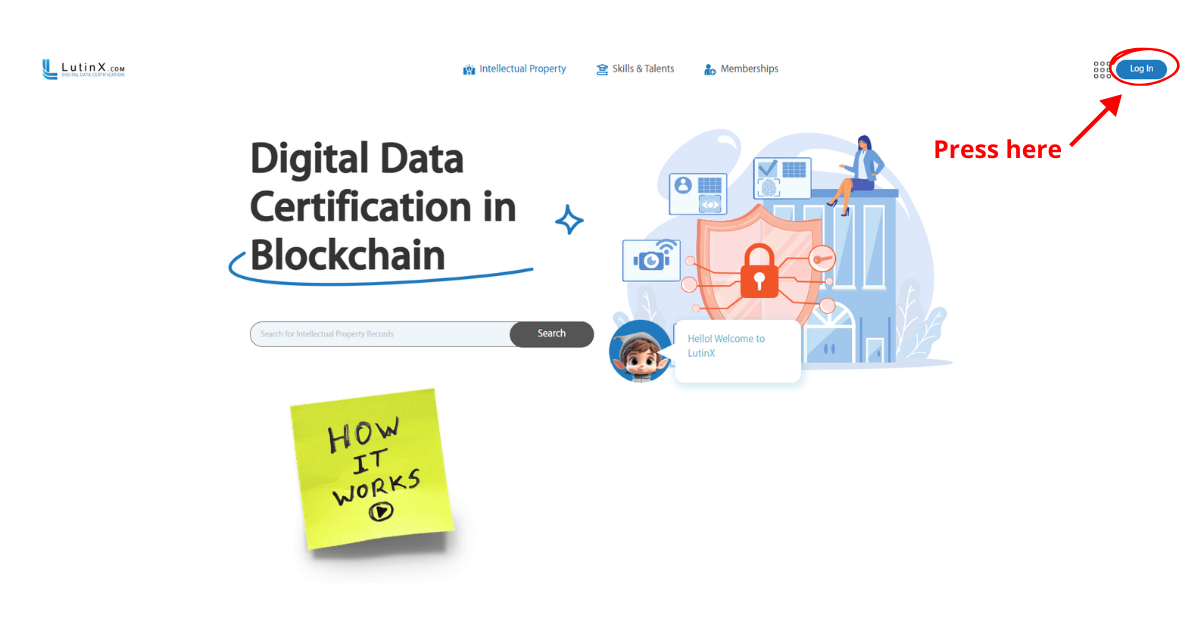
Step 1 — Create or access your personal account

To use L.ID you must have a personal LutinX account.

If you create a new account, completing KYC verification is recommended to become a fully identified user and unlock all L.ID features, including trusted identity sharing.

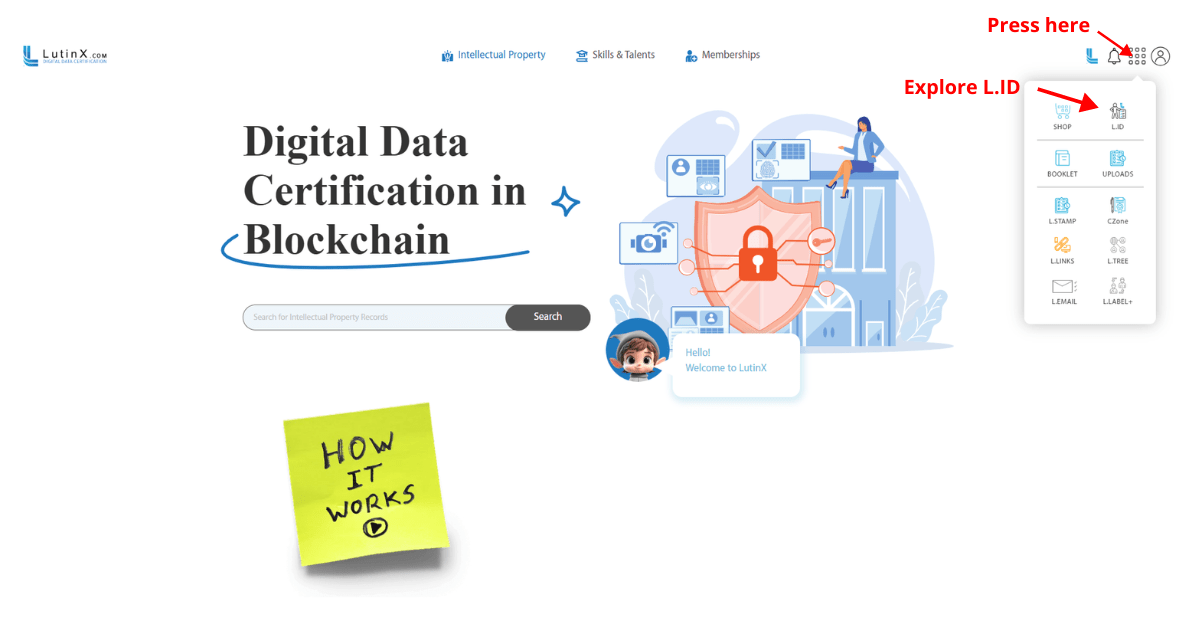
Step 2 —Access L.ID from your dashboard

Once inside your account:

  1. Open your main dashboard

  2. Locate the application panel on the right

  3. Select L.ID

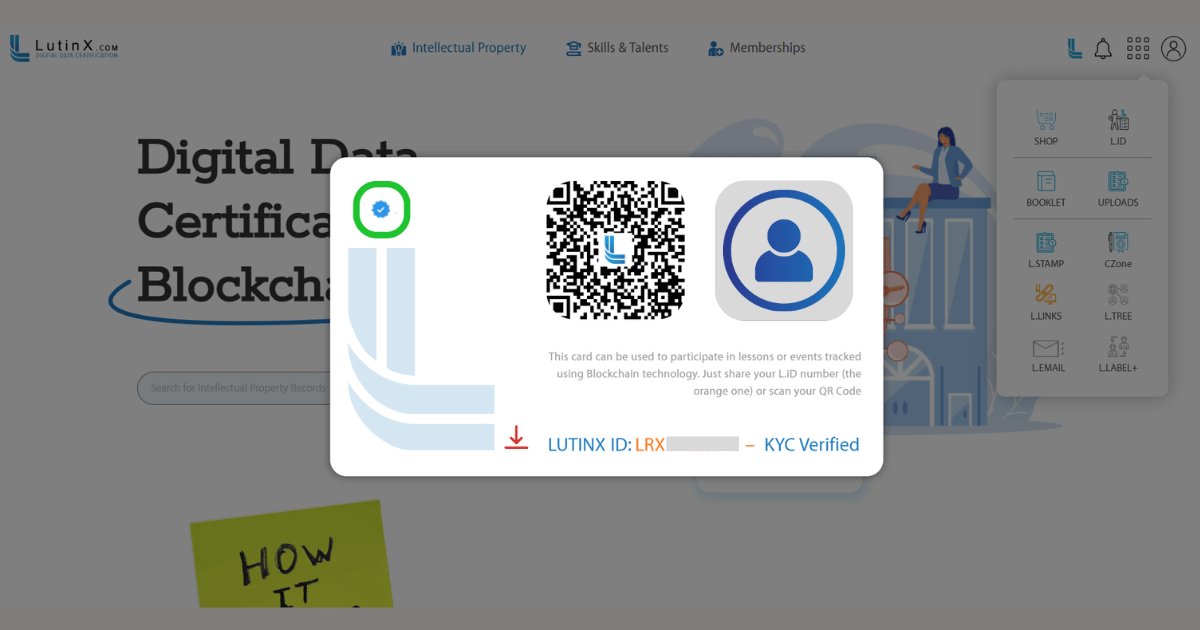
Step 3 — View your L.ID identity panel

Inside L.ID, you will see:

  • Your profile photo (or placeholder until uploaded)

  • LutinX ID number (LRX…)

  • Verification status (KYC badge, if completed)

  • Your personal QR Code — used to share identity securely

  • Basic identity details associated with your profile

  • Links to download or share your digital ID card

This panel represents your official LutinX identity, used for authentication, onboarding, and verification processes across the ecosystem and integrated services.

Step 4 — Use your L.ID for trusted authentication and verification

Your L.ID can be scanned or shared to:

  • verify your identity

  • join events

  • access services requiring trusted authentication

  • complete identity checks instantly through your QR Code

Organizations will only receive the information you explicitly authorize.

Step 5 — Maintain and update your identity information

You can update your photo, add missing information, or complete verification steps when needed.
L.ID ensures that your identity remains accurate, protected, and under your control.

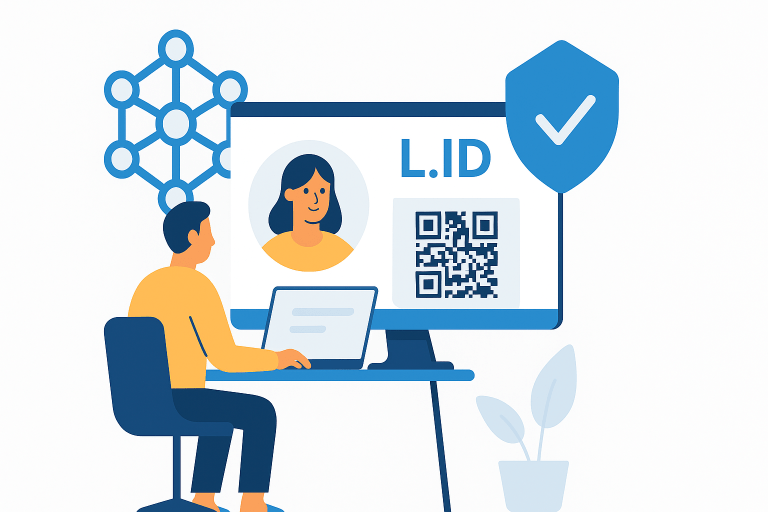
L.ID is the core identity layer of the LutinX ecosystem and a complete solution for user onboarding, verification, access control, and fraud prevention.
By integrating KYC, KYB, MFA, adaptive authentication, and blockchain-based auditability, L.ID provides a secure and trusted framework for all identity-dependent processes.

It is global, accurate, scalable, and designed to enhance both security and user experience — a reliable identity verification platform built for modern digital environments.

For practical examples of how L.ID is used in real contexts, see: