How to Use L.CARD application
Step 1 — Create or access your Company Account
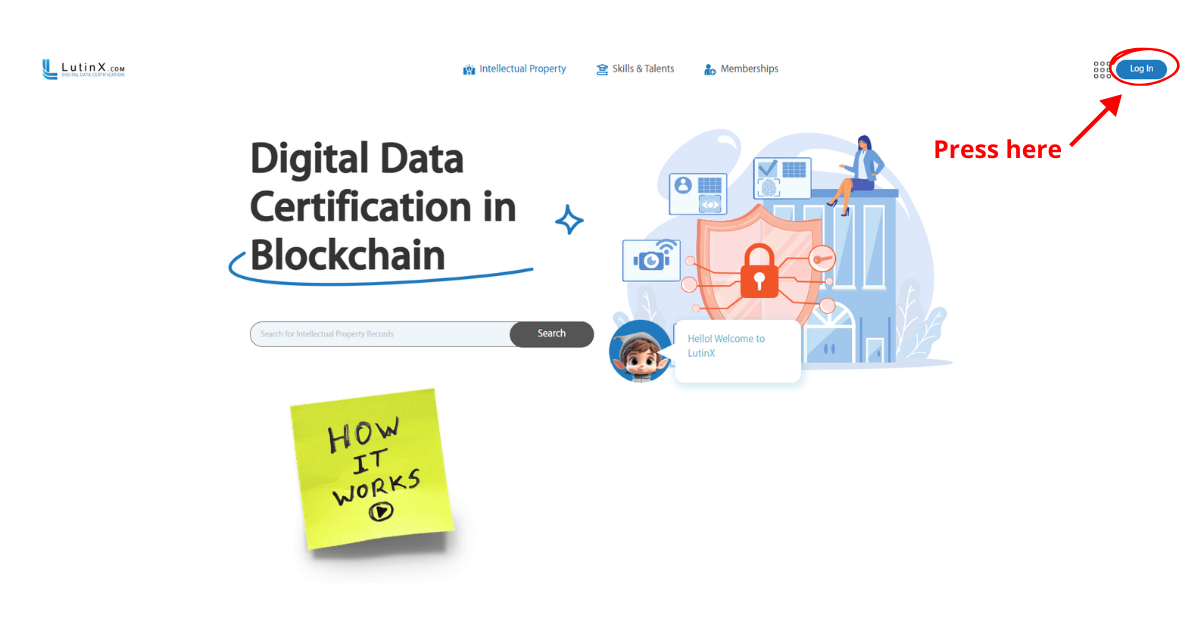
First, the organization needs a LutinX company account.
Log in with your corporate credentials to access the main dashboard.
Note:
If you are creating a new company account, make sure to complete the KYB (Know Your Business) verification and purchase a Premium License.
Only after these steps will L.CARD be available among your applications.
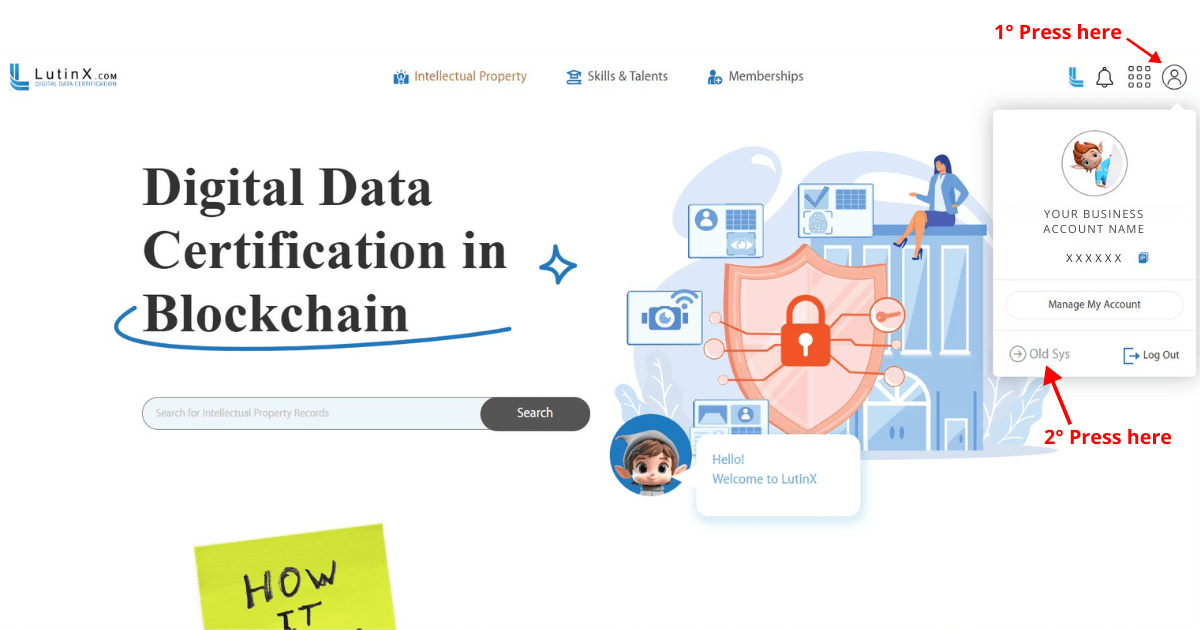
Step 2 —Where you can find the L.CARD application
From the main account area, open the old system using the dedicated button.
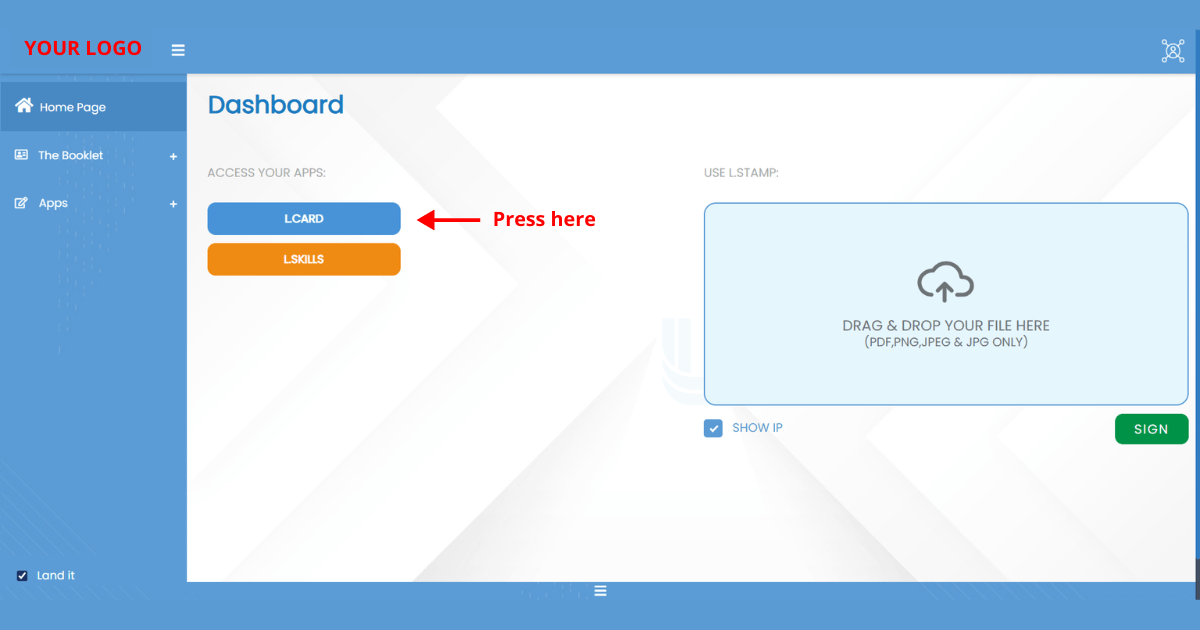
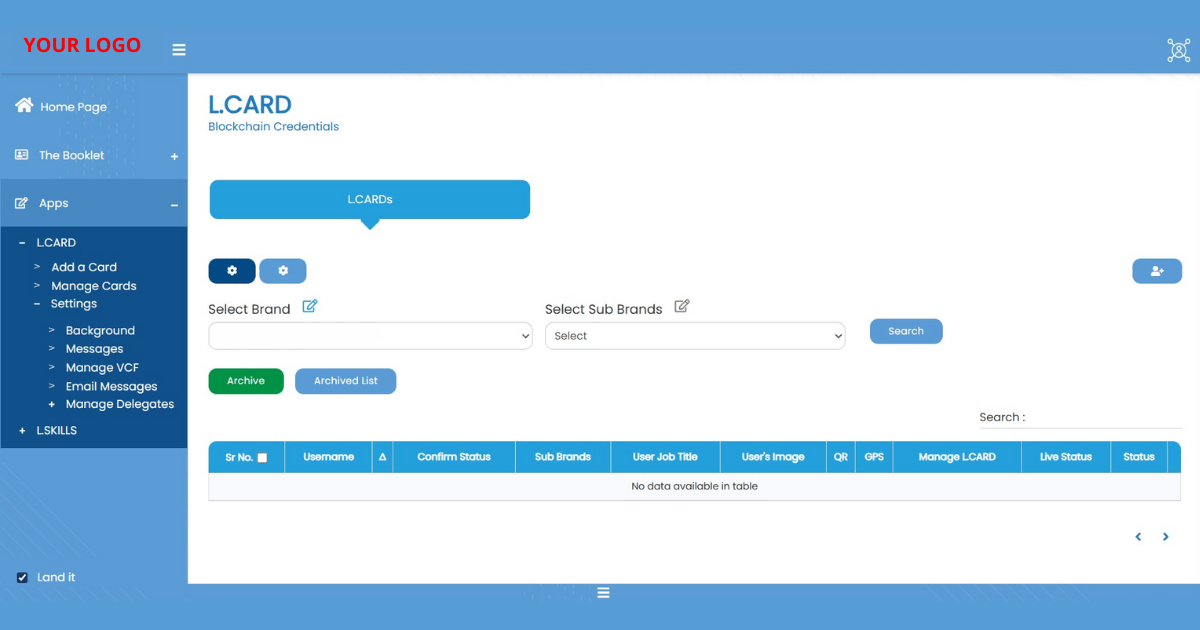
Step 3 — Access L.CARD from the dashboard
This is where all L.CARD management features are currently located.
Step 4 — Add L.CARDs for your collaborators
Organizations can create digital identity cards for team members.
For each collaborator, administrators can:
link the verified user profile
assign the job title or role
specify department or sub-brand
define signing authority (if applicable)
After saving, the system generates a Blockchain-based role certificate for that collaborator.
Step 5 — Manage or update existing cards
Within the L.CARD dashboard, organizations may:
update job titles or internal roles
change the user’s image or contact data
activate or archive cards
adjust permissions or role details when needed
All updates are permanently tracked through new Blockchain timestamps.
Step 6 — Share and verify the L.CARD
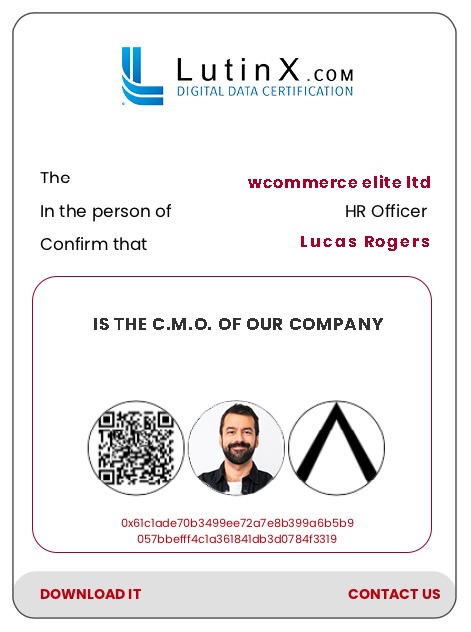
Each L.CARD includes a QR code and a verification link.
These allow third parties to instantly verify:
identity
organizational role
signing authority
certificate status
Verification occurs through the LutinX Explorer, ensuring transparency and authenticity.